
Fly Radar
Live aircraft. A flight you follow. ISS. Weather at the same pin.
Fly Radar is the sky side of Sky Hub. You set a pin — a house, an airfield, a city — and a range. The map shows the aircraft inside that circle: callsign, type, height, heading, airline and route when we have them. The same pin drives the weather room. A flight number you type is followed anywhere on Earth, not only inside the circle. The International Space Station is drawn against home.
Fly Radar lives in your account, next to Ship Radar. A paid plan is both. The pictures below are the live screens, not mock-ups.
Live aircraft
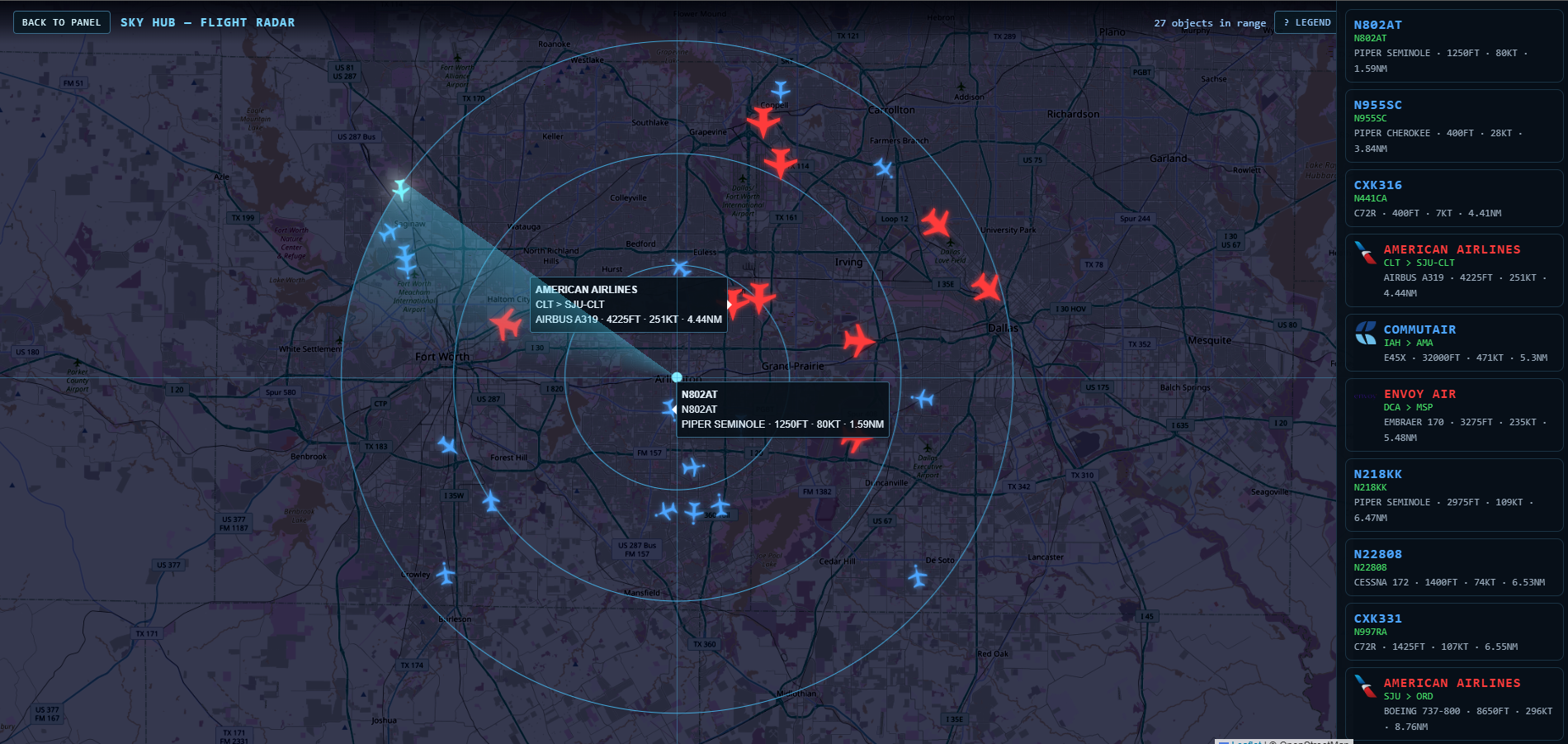
A dark chart with a circle on your pin. Objects in range carry type, altitude, speed and distance. Airline names and routes sit on the bar when the signal and the learned route allow it. General aviation, airliners, helicopters and services share the same view with different shapes and colours. Filters hide what you do not want. This is the room people mean when they say radar.
Flight follow
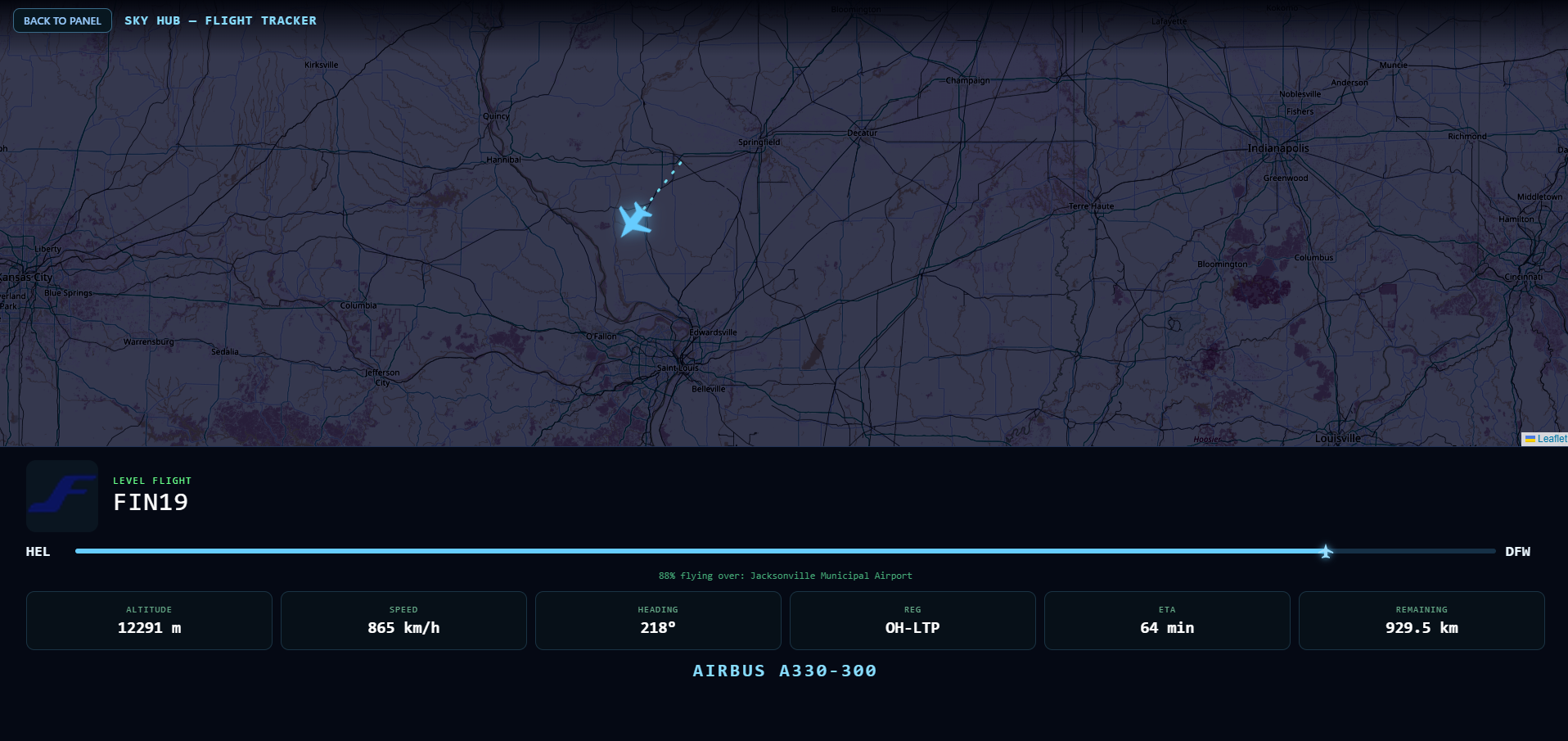
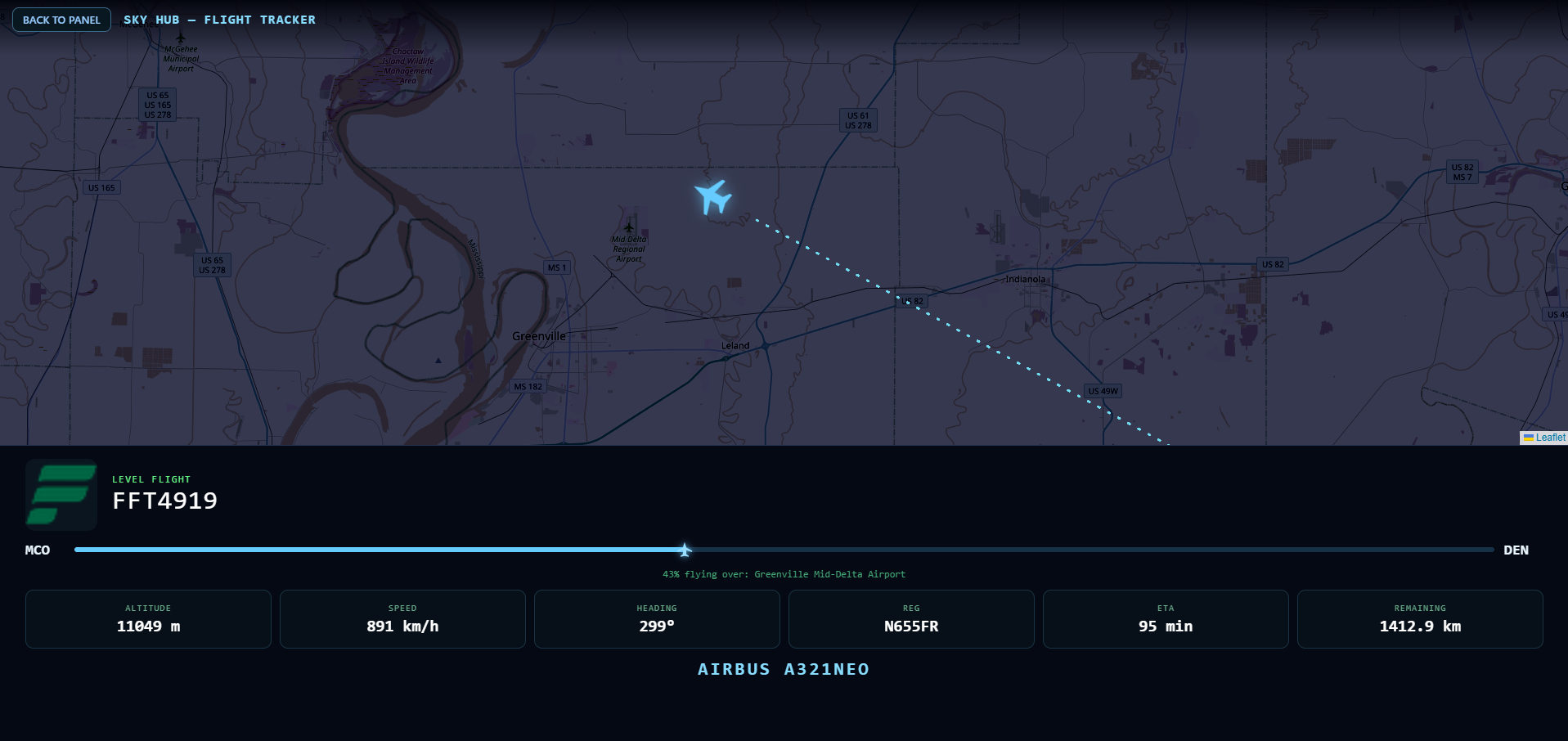
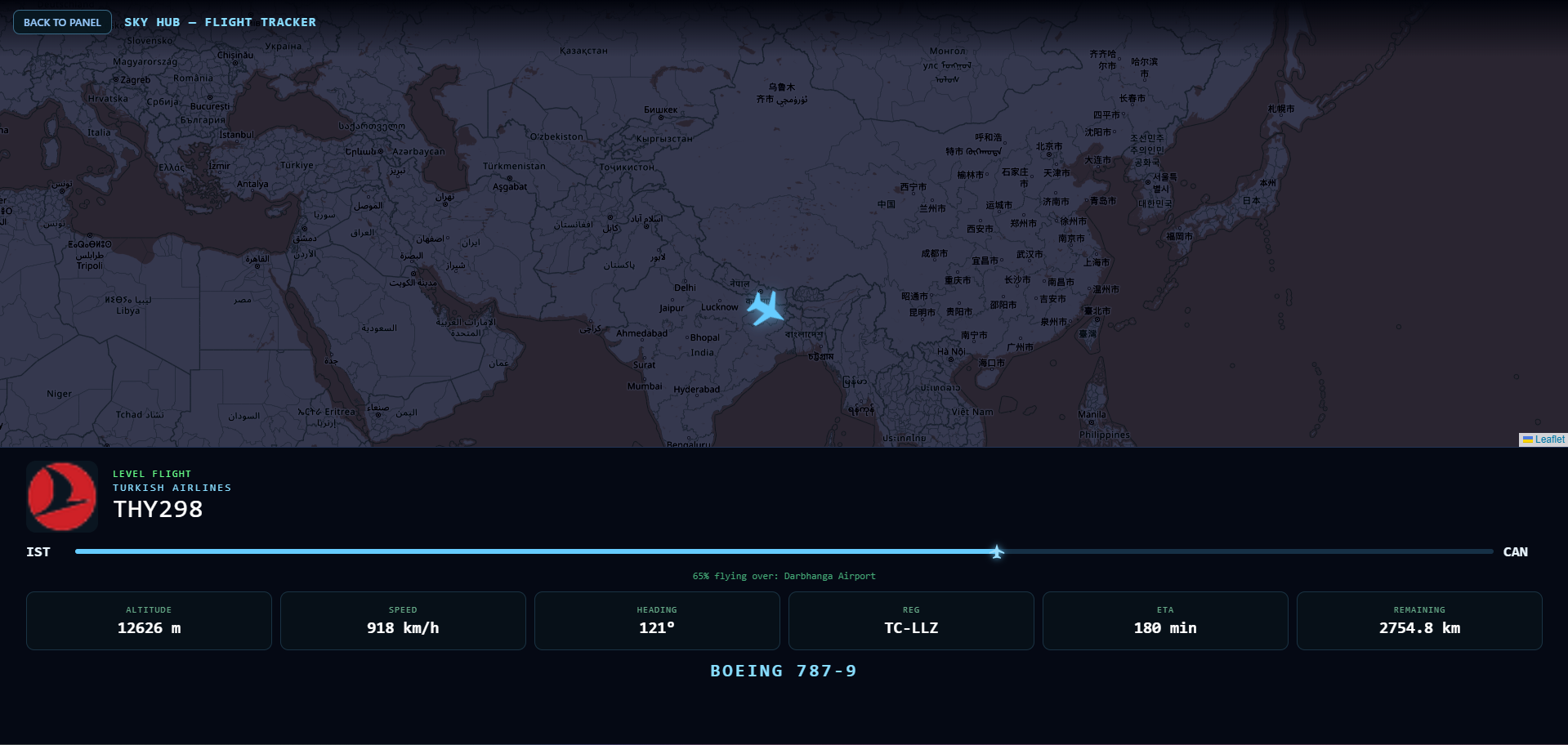
Type a flight number. Sky Hub looks it up by the callsign the aircraft actually transmits, not only the ticket code. The map follows that one aircraft. The card shows the airline mark, origin and destination, percent of the trip flown, the nearest field under the nose, altitude, speed, heading, registration, time and distance still to run, and the aircraft type.
If the live signal drops for a moment, the last good frame stays on the card until a new position arrives. You can follow a short hop or a long-haul. The three frames below are three different flights on the same room.
International Space Station
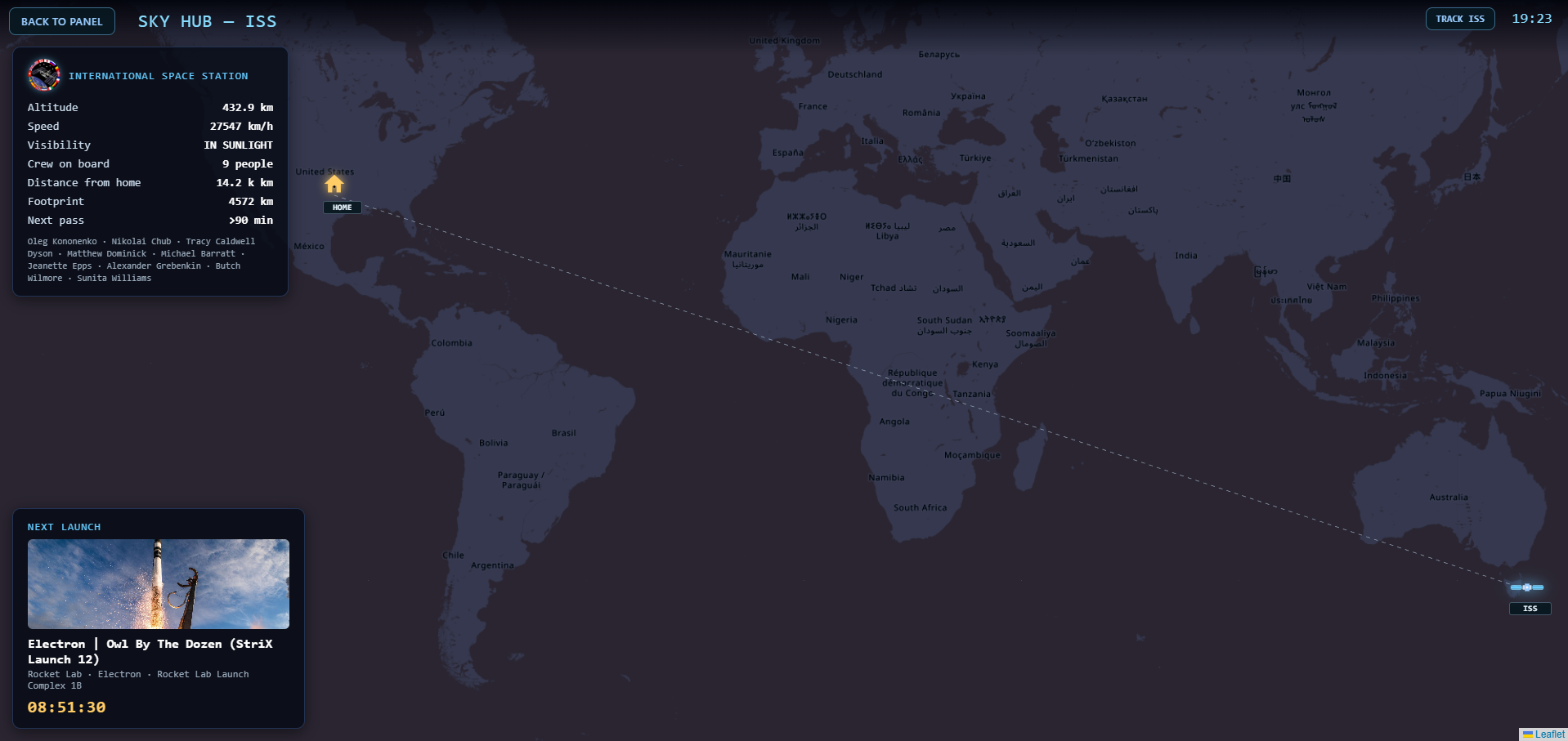
The station against your home pin: altitude, speed, sunlight or eclipse, crew names when the feed has them, distance from home, footprint, and the next pass over that pin. Track keeps the map on the station. A launch board sits on the same page when a countdown is live.
Weather at the radar pin
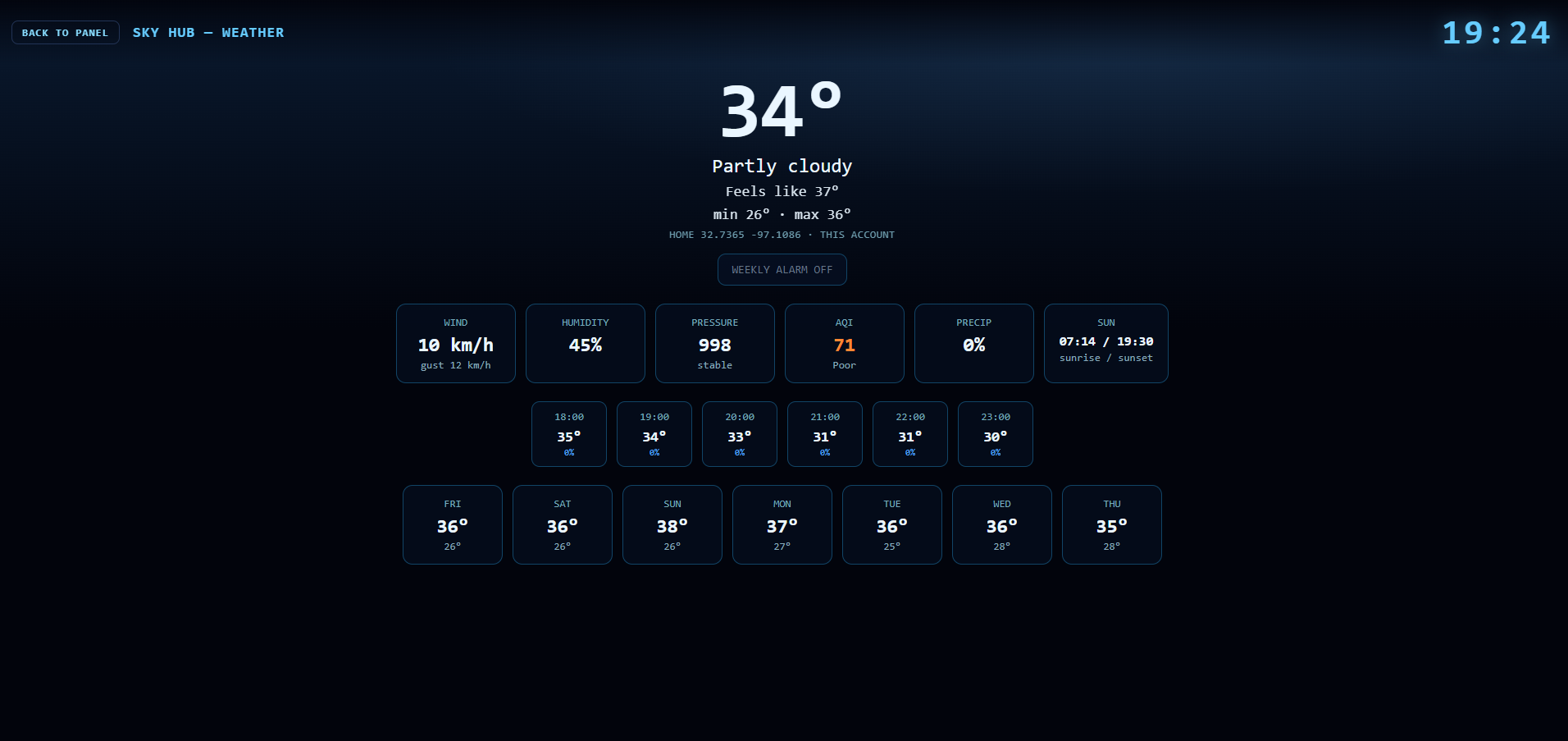
Weather is not a second location. It uses the same home coordinates as Fly Radar. Current temperature, feel, wind, humidity, pressure, air quality, rain chance, sunrise and sunset, the next hours and the next days. If you move the radar pin and save it, weather follows that pin. It does not follow a city you did not set.
How you get it
Open an account. Set a pin. Fly Radar, flight follow, ISS and weather are the sky rooms. Ship Radar is the marine room on the same plan. Demo is one hour. Home, House and Workshop are paid. Train Radar and Bus Radar are not on sale. A LED wall display is a later module, not this page.
Questions: office@skyhubcloud.com.