 Français
  Nederlands
  Polski
  Svenska
  Suomeksi
  Norsk
Norsk  Deutsch
Train Radar › TRAIN LOG
TRAIN LOG: your trackside notebook, filled in for you
Put your pin at your station, bridge or favourite lineside spot. While you watch Train Radar, TRAIN LOG records every train within 10 miles (16 km) of it: what it was, which units it had, where it came from and where it went, and whether it was on time. It is the notebook spotters keep by hand, written for you.
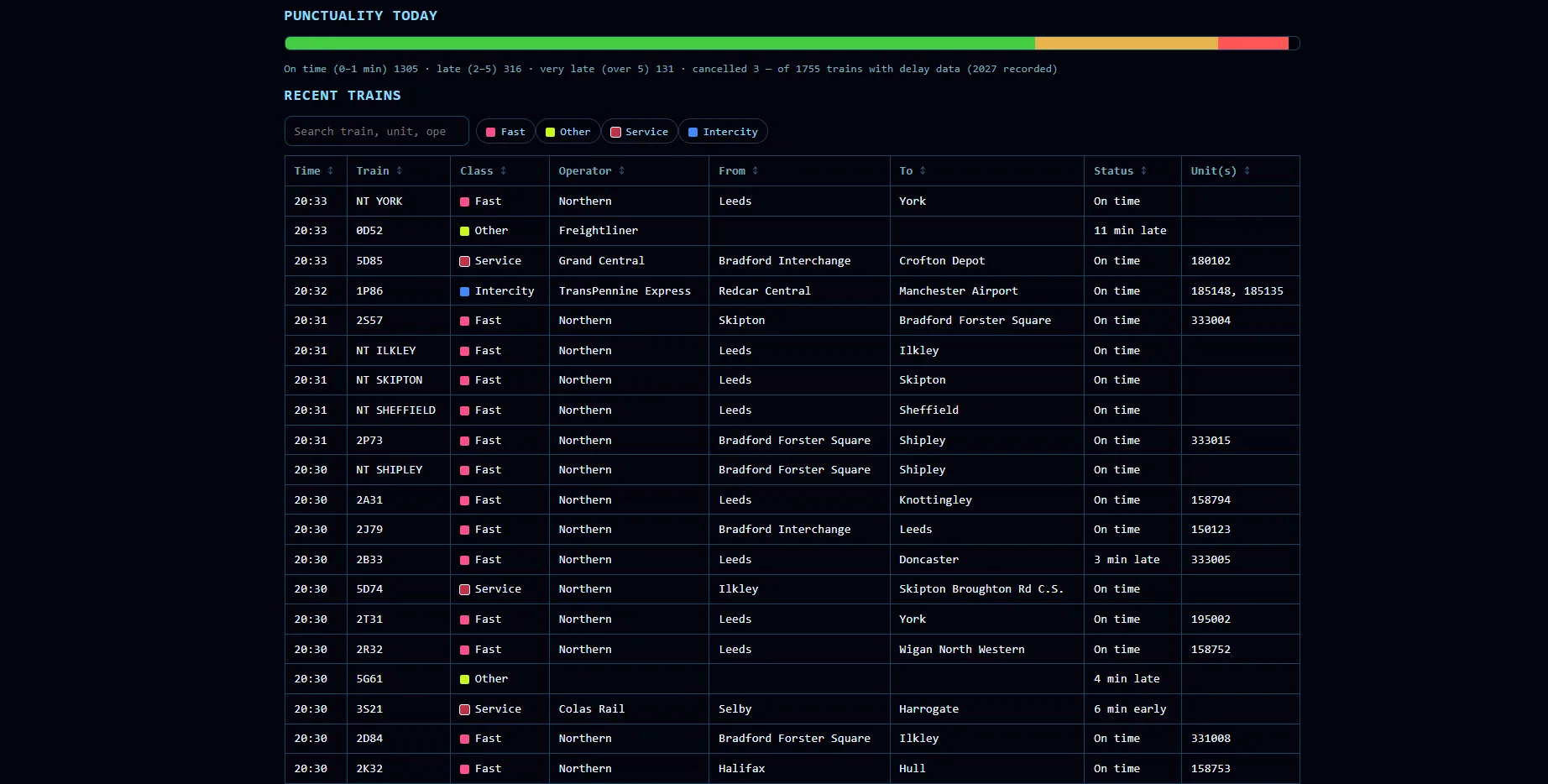
Today
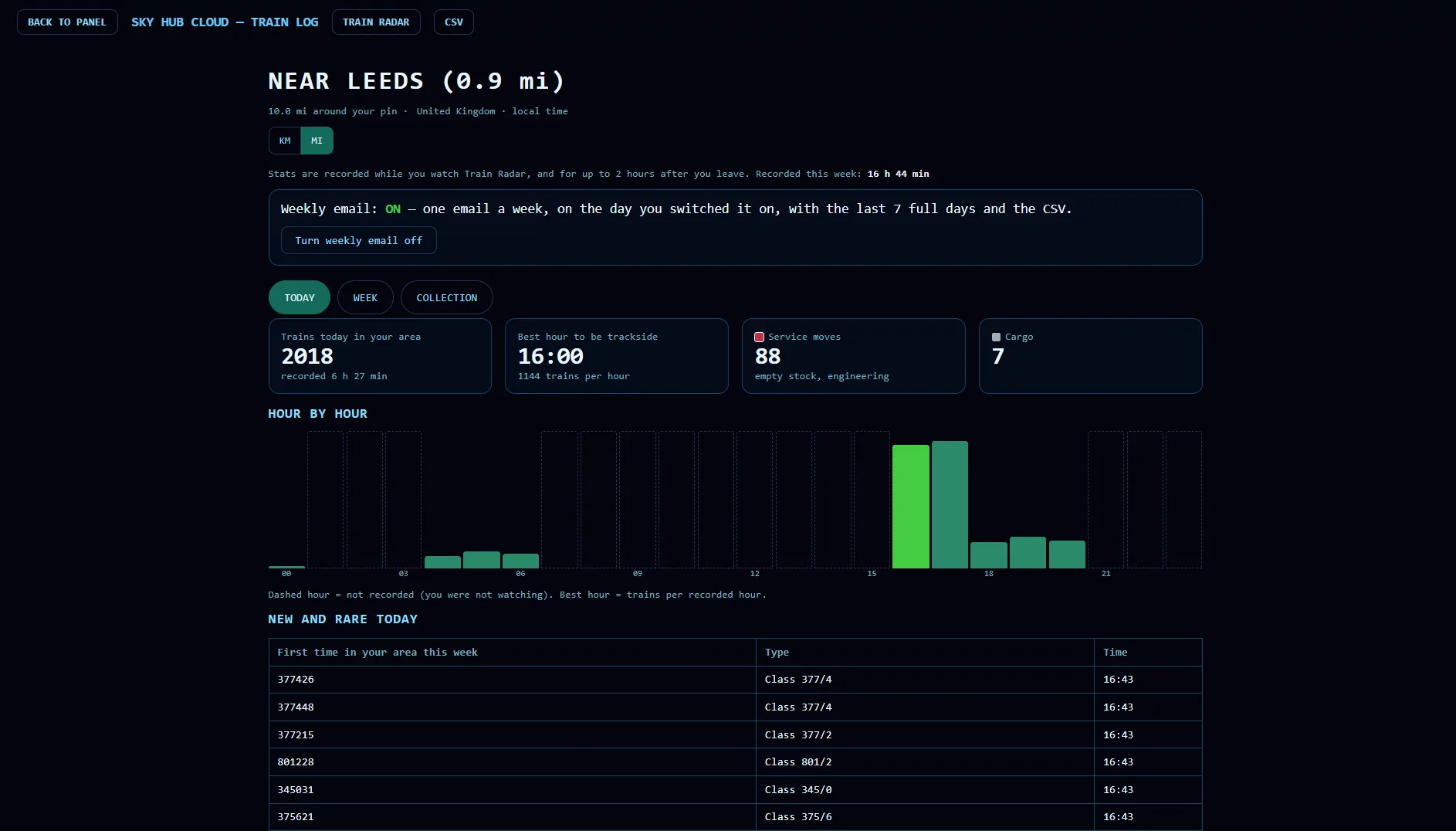
- How many trains passed your spot today, and for how long it was recorded
- The best hour to be trackside, with trains per hour
- Service moves (empty stock, engineering) and cargo trains, counted separately
- Hour by hour: a bar for every hour, so you see when your spot is busy
- New and rare today: units seen in your area for the first time this week, with their class
- Punctuality today: on time, late, very late and cancelled
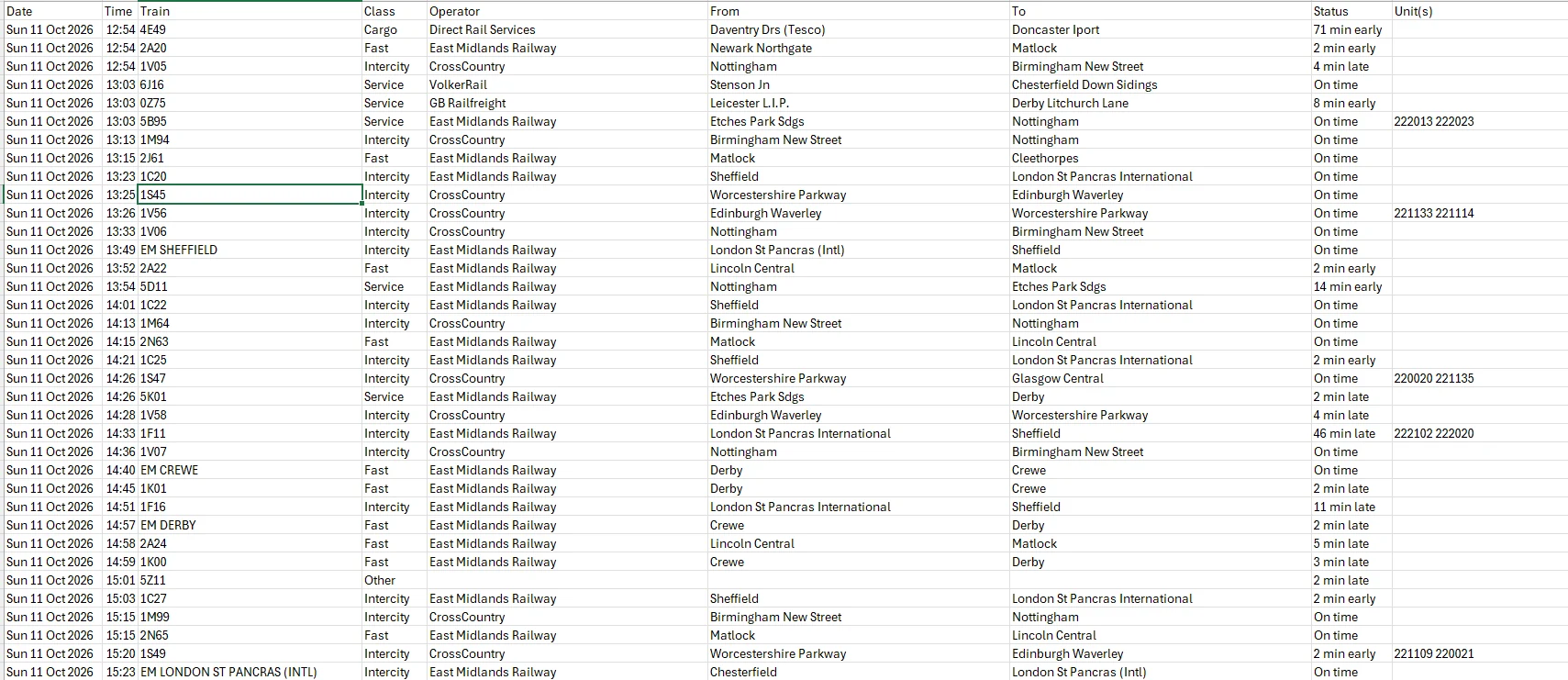
- Every train in a table you can search, filter by class and sort: time, train, class, operator, from, to, status and units
Week
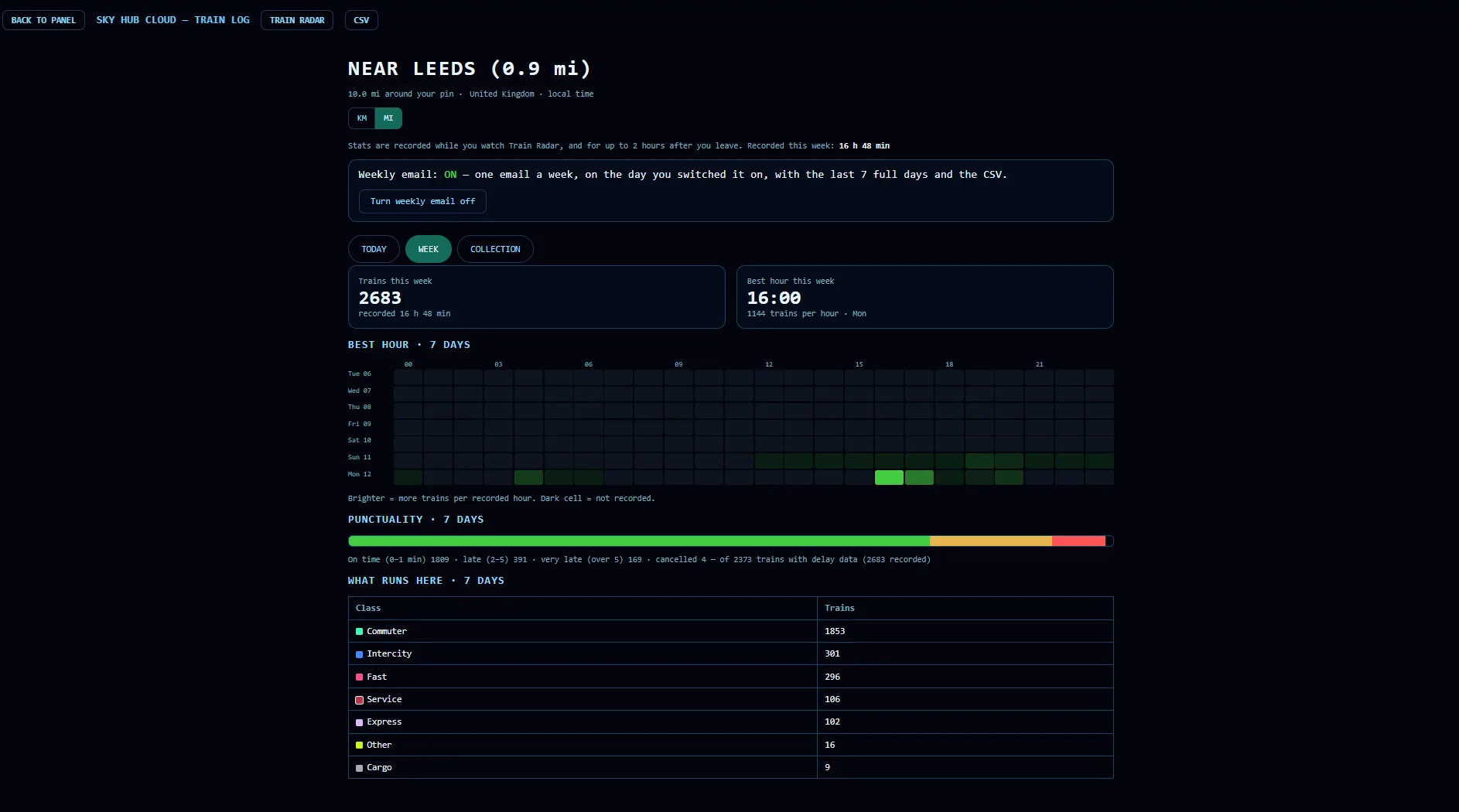
- Trains this week and the best hour of the week
- The best hours of the last 7 days on one chart, day by day
- Punctuality over 7 days
- What runs here: how many trains of each class passed your spot
Collection
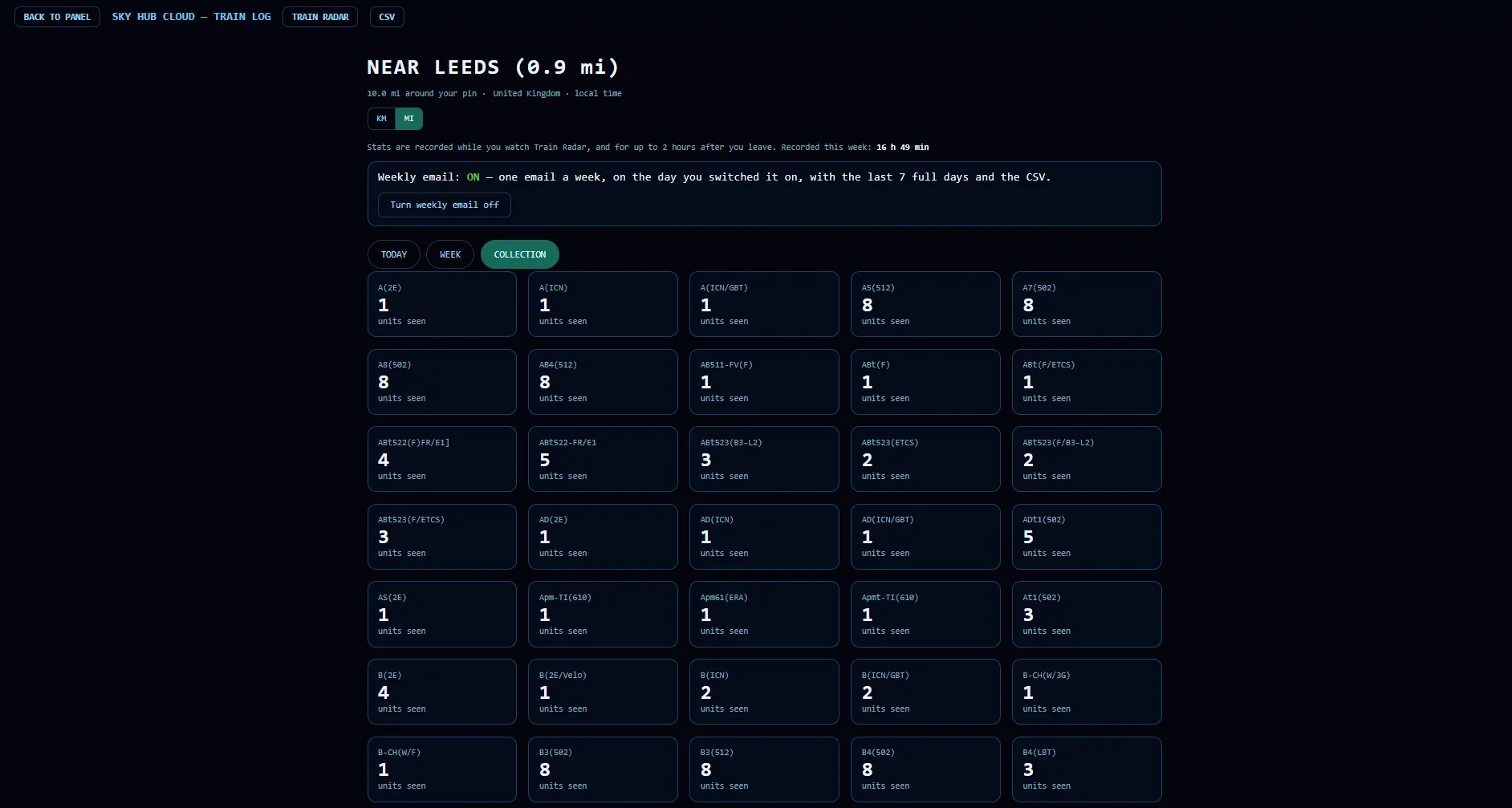
- Every type of unit or vehicle seen in your area, with how many different ones you have seen
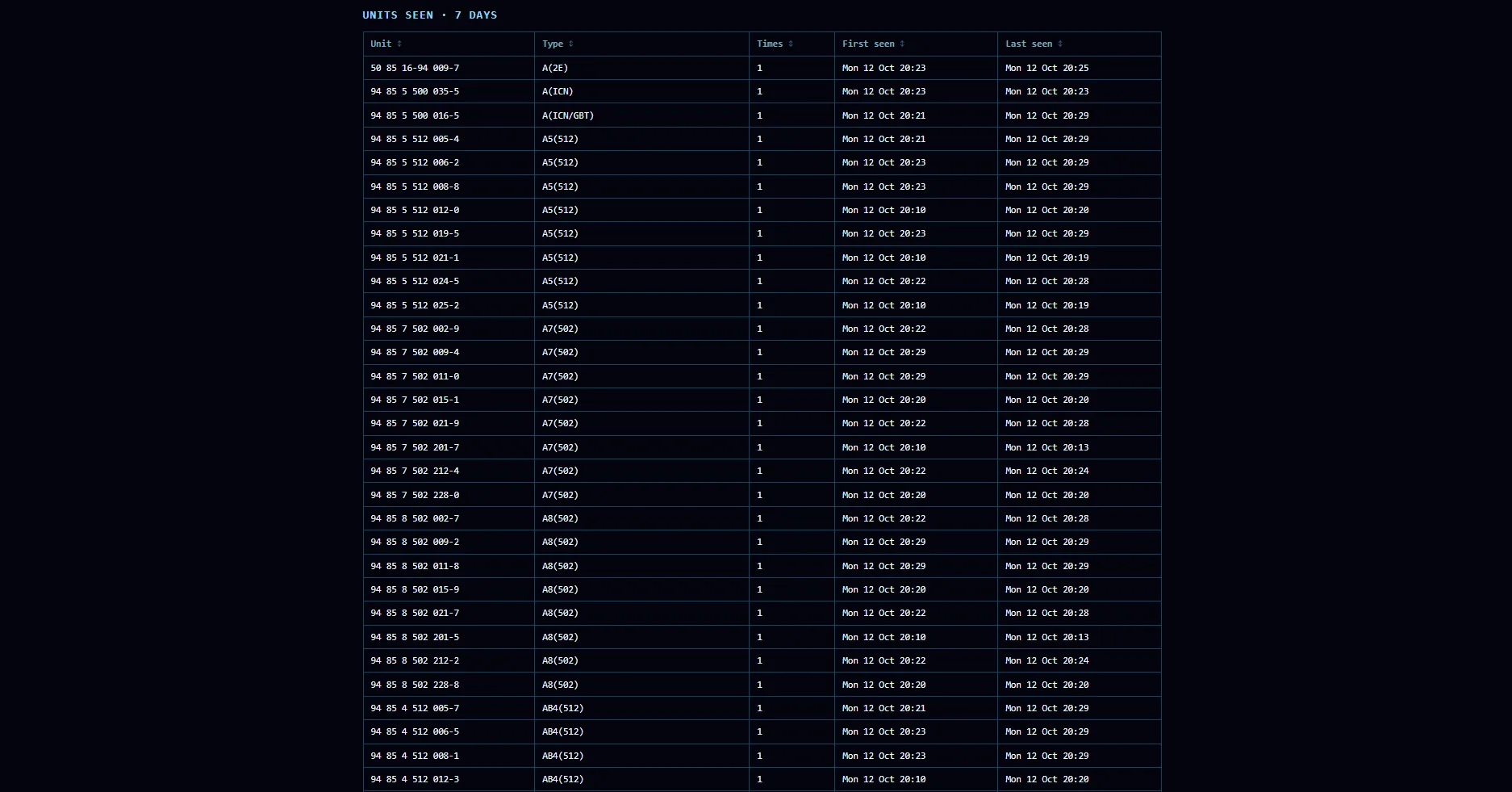
- Every unit with its number and type, how many times it passed, and when you first and last saw it
Your log, your data
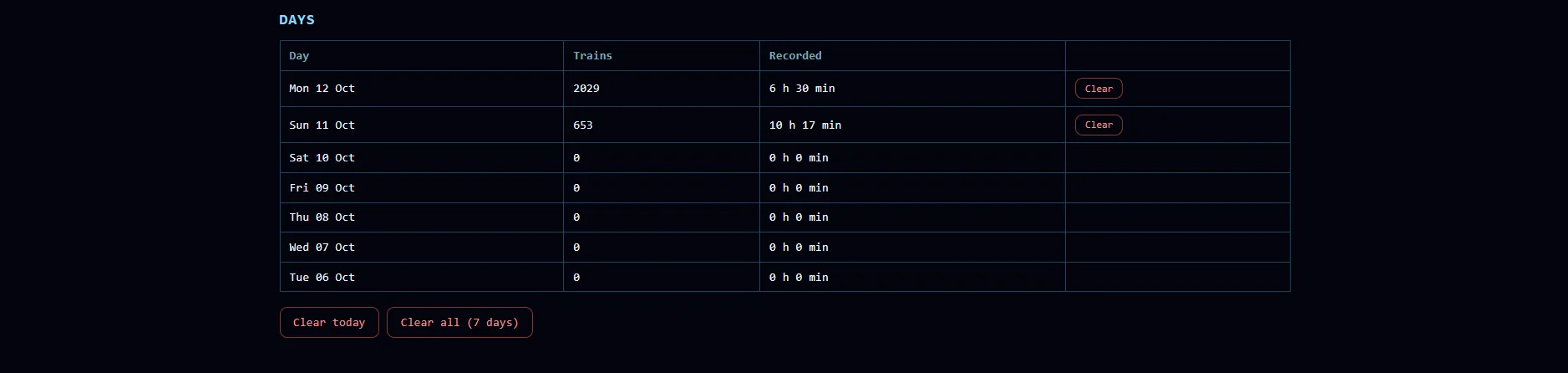
TRAIN LOG is off until you switch it on in your Control Panel. It records only while you watch Train Radar, and for up to two hours after you leave, so it logs the time you spend at your spot, not the whole day. It keeps the last 7 days. You can clear one day or the whole week at any time, and switch on a weekly email with the last 7 full days, which you can turn off with one click.
Download your log as a CSV file at any time with the CSV button, and the weekly email brings the CSV with it.
When you move your pin, TRAIN LOG carries on counting at the new spot, and your week mixes both places. For a clean log of one spot, download the CSV before you move your pin.
Miles or kilometres
One switch changes every distance on the page between miles and kilometres.
In every Train Radar country
TRAIN LOG works wherever Train Radar does: Great Britain, Ireland, France, the Netherlands, Belgium, Switzerland, Poland, Sweden, Norway and Finland. What it can log depends on what each railway publishes. Unit and vehicle numbers come from Great Britain, the Netherlands, Finland and Switzerland; freight and service moves from the countries that report them, such as Great Britain and Finland.
Questions
Is TRAIN LOG included in my plan?
Yes, it is part of Train Radar, on the same plan as Fly Radar and Ship Radar.
Does it record when I am not watching?
Only while you watch Train Radar, and for up to two hours after you leave.
How long is my log kept?
7 days. Switch on the weekly email to keep a copy of every week.
Can I delete it?
Yes, one day or all 7 days, at any time.
Does it log freight trains?
Yes, where the railway reports them, for example in Great Britain.
Can I download my log?
Yes, as a CSV file, with every train, its class, operator, route, status and units.
What happens if I move my pin?
TRAIN LOG keeps counting from the new pin, and the week mixes both places. Download the CSV first if you want to keep the log of your old spot separate.